
075582814553

Choosing the right Microchip MCU for your project can be a daunting task, given the sheer number of options available. However, by understanding your project's requirements and the key features of different MCU families, you can make an informed decision. This section will guide you through the selection process, from understanding key parameters to comparing popular MCU series.
When selecting a Microchip MCU, you'll encounter several technical specifications. Here are some of the most important ones to consider:
Flash Memory: This is where your program code is stored. The amount of flash memory you need depends on the complexity of your program. For simple projects, a few kilobytes (KB) might be sufficient, while more complex applications may require several megabytes (MB).
RAM (Random Access Memory): This is used to store variables and data that your program uses during runtime. The amount of RAM you need depends on the amount of data your program needs to process and store simultaneously.
ADC (Analog-to-Digital Converter): An ADC is a peripheral that converts analog signals from sensors into digital values that the MCU can process. The resolution of the ADC (measured in bits) determines the precision of the conversion.
Microchip offers both 8-bit and 32-bit MCUs. The choice between them depends on your application's performance requirements and power constraints.
| Feature | 8-bit MCUs (PIC, AVR) | 32-bit MCUs (SAM, PIC32) |
|---|---|---|
| Performance | Lower | Higher |
| Power Consumption | Lower | Higher |
| Complexity | Simpler | More Complex |
| Cost | Lower | Higher |
| Typical Applications | Simple control tasks, sensor nodes, IoT devices | Complex control systems, signal processing, graphics displays |
Microchip's MCU portfolio includes several popular series, each with its own unique features and advantages.
PIC (Peripheral Interface Controller): PIC MCUs are known for their ease of use, low power consumption, and wide range of peripherals. They are a popular choice for a variety of applications, from simple hobbyist projects to complex industrial control systems.
AVR: Originally developed by Atmel, AVR MCUs are known for their high performance, flexible architecture, and strong community support. They are particularly popular in the maker community, thanks to their use in Arduino boards.
SAM (SMART ARM-based Microcontrollers): SAM MCUs are based on the ARM Cortex architecture, offering high performance, low power consumption, and a rich set of peripherals. They are well-suited for demanding applications that require significant processing power, such as IoT gateways, industrial automation, and consumer electronics.
If you're new to Microchip MCUs, here are a few recommendations to get you started:
PIC16F877A: This is a classic 8-bit PIC MCU that is widely used in educational and hobbyist projects. It's a great choice for learning the basics of PIC programming.
ATmega328P: This is the 8-bit AVR MCU used in the popular Arduino Uno board. It's an excellent choice for beginners who want to leverage the vast Arduino ecosystem.
SAM D21: This is a 32-bit ARM Cortex-M0+ based MCU that is easy to use and offers a good balance of performance and power consumption. It's a great entry point into the world of 32-bit microcontrollers.
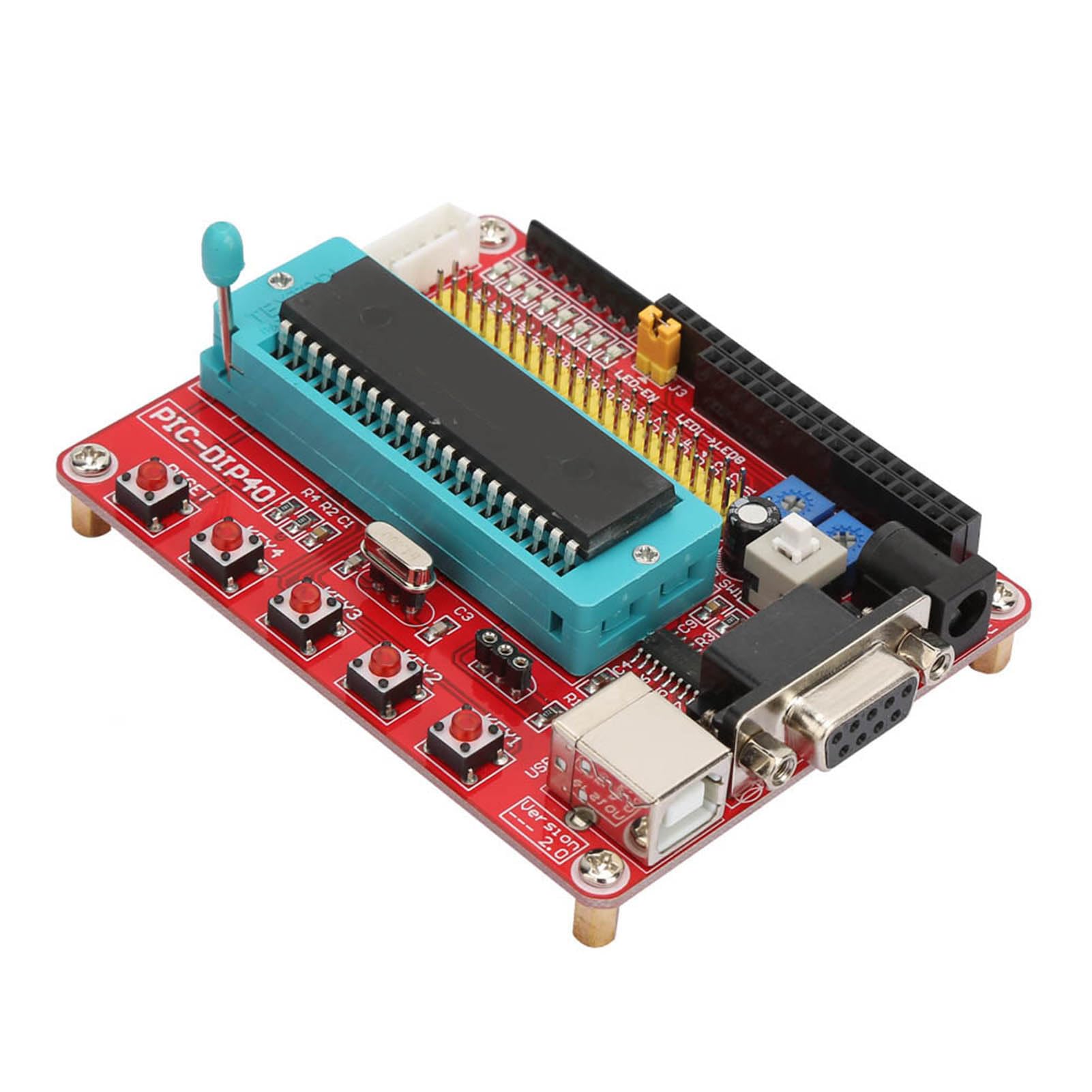
A PIC16F877A development board, a great starting point for beginners.
Once you've selected your Microchip MCU, the next step is to start programming it. This section will guide you through the process of setting up your development environment, choosing a programmer, and writing your first program.
MPLAB X IDE is Microchip's free integrated development environment for PIC, AVR, and SAM MCUs. It provides a complete set of tools for writing, debugging, and programming your code. The XC8 compiler is a free C compiler for 8-bit PIC and AVR MCUs.
A programmer is a hardware device that is used to load your program code onto the MCU. Microchip offers several programmers, including the PICkit series and the MPLAB ICD (In-Circuit Debugger).
PICkit: The PICkit series of programmers are affordable and easy to use, making them a popular choice for hobbyists and beginners.
MPLAB ICD: The MPLAB ICD is a more advanced programmer that offers additional features, such as in-circuit debugging, which allows you to step through your code and inspect variables while it's running on the MCU.
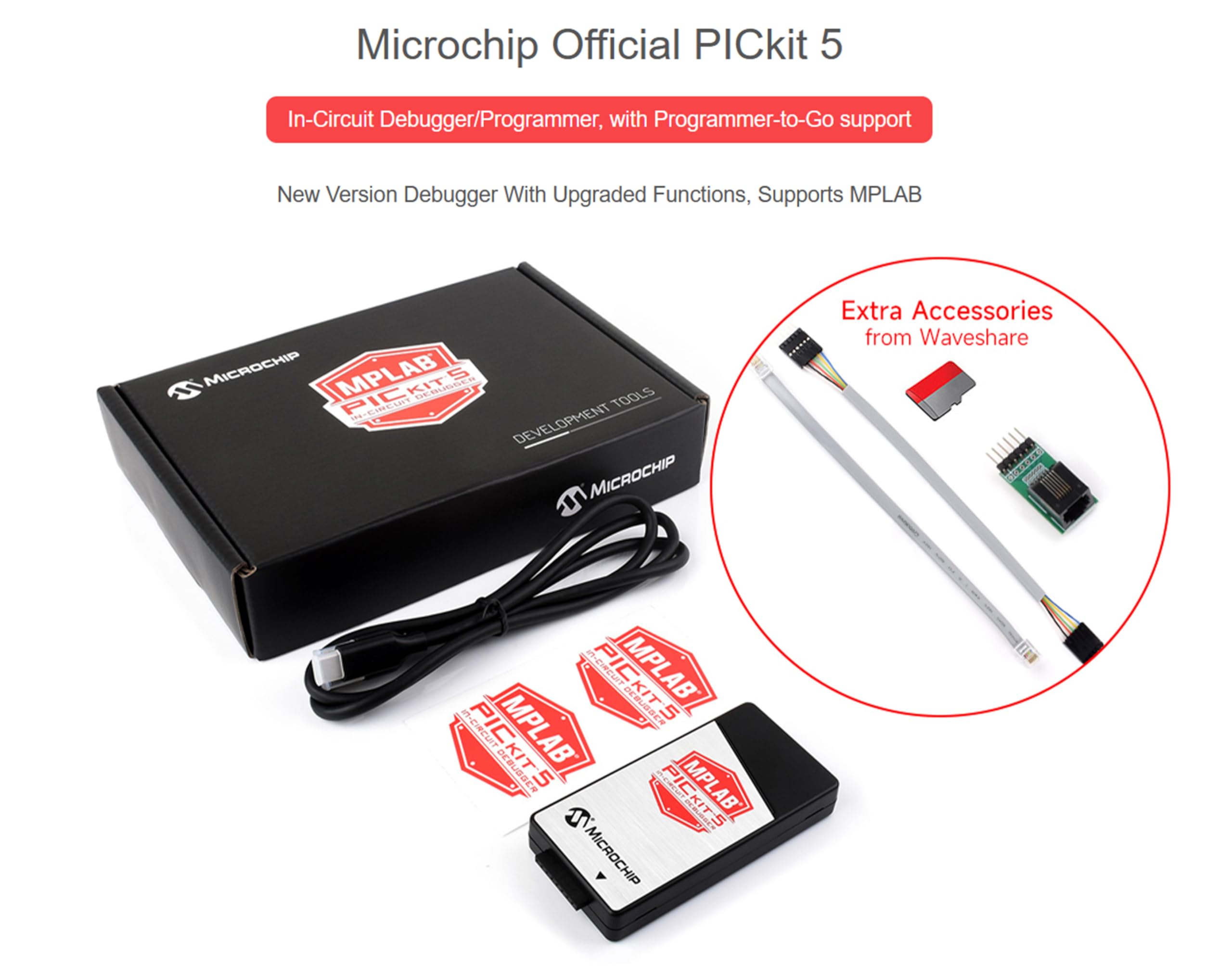
The Microchip PICkit 5, a popular and affordable programmer for PIC and AVR MCUs.
The classic "Hello, World!" program for microcontrollers is blinking an LED. This simple program is a great way to verify that your development environment is set up correctly and that you can successfully program your MCU.
Here's a simple example of how to blink an LED using a PIC MCU and the XC8 compiler:
#include <xc.h>

#define _XTAL_FREQ 4000000 // 4MHz crystal oscillator

void main(void) {
    TRISB0 = 0; // Set RB0 as an output

    while (1) {
        LATB0 = 1; // Turn the LED on
        __delay_ms(500); // Wait for 500ms
        LATB0 = 0; // Turn the LED off
        __delay_ms(500); // Wait for 500ms
    }
}A bootloader is a small program that runs on the MCU when it first powers on. It allows you to program the MCU without using a dedicated programmer. This can be useful for updating the firmware of a device in the field.
Many beginners and hobbyists are familiar with the Arduino platform. But how does it compare to using a standalone Microchip MCU? This section will provide a comprehensive comparison of the two.
Arduino boards are designed for ease of use and rapid prototyping, while standalone Microchip MCUs offer greater flexibility and control over performance and power consumption. By using a standalone MCU, you can choose the specific device that best meets your project's requirements, and you can optimize your code for maximum performance and minimum power consumption.
Both Microchip and Arduino have strong development ecosystems and community support. Microchip provides a professional development environment with MPLAB X IDE, while Arduino offers a simpler, more beginner-friendly IDE. Both platforms have active online communities where you can find help and support.
Choose Arduino when: You're a beginner, you want to prototype quickly, or you want to leverage the vast Arduino ecosystem of libraries and shields.
Choose a Microchip MCU when: You need more control over performance and power consumption, you're working on a cost-sensitive project, or you're developing a commercial product.
This section provides a more in-depth look at Microchip's PIC MCUs, including their core architecture, development boards, and datasheets.
PIC MCUs are based on a modified Harvard architecture, which means that they have separate memory spaces for program code and data. This allows for faster instruction execution and more efficient use of memory.
Microchip offers a wide range of official development boards for their PIC MCUs. These boards are a great way to get started with PIC programming, as they provide all the necessary hardware to get your first project up and running.
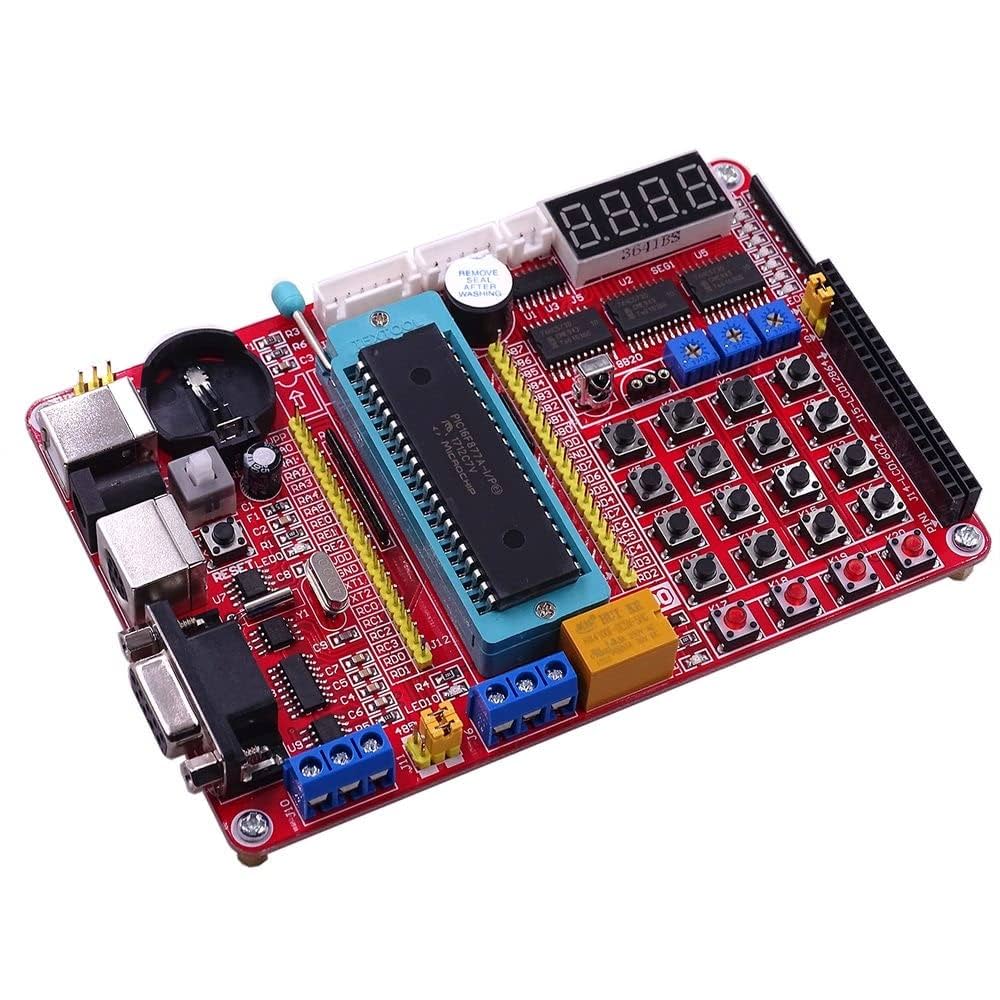
A Microchip PIC development board, providing a platform for rapid prototyping and development.
The datasheet is the most important document for any microcontroller. It contains detailed information about the MCU's features, specifications, and peripherals. You can find the datasheet for any Microchip MCU on their website.
Q: What is the difference between a microcontroller and a microprocessor?
A: A microcontroller is a complete computer on a single chip, including a CPU, memory, and peripherals. A microprocessor, on the other hand, is just the CPU, and it requires external components, such as memory and peripherals, to function.
Q: Are Microchip MCUs good for IoT applications?
A: Yes, Microchip offers a wide range of MCUs that are well-suited for IoT applications. These MCUs offer a good balance of performance, power consumption, and connectivity options.
Q: Can I use Arduino libraries with Microchip MCUs?
A: While it's not always straightforward, it is possible to use Arduino libraries with some Microchip MCUs. There are several third-party projects that provide support for Arduino libraries on Microchip MCUs.
Q: What is the best way to learn Microchip MCU programming?
A: The best way to learn Microchip MCU programming is to start with a beginner-friendly development board, such as the PIC16F877A or the ATmega328P, and work your way through online tutorials and example projects.
Q: Where can I buy Microchip MCUs?
A: You can buy Microchip MCUs from a variety of online distributors, such as Digi-Key, Mouser, and the Microchip online store.
Microchip MCUs are a powerful and versatile tool for a wide range of electronic projects. By understanding the different MCU families, their key features, and the development tools available, you can choose the right MCU for your project and bring your ideas to life. Whether you're a beginner or an experienced engineer, the world of Microchip MCUs has something to offer you.

 Catalogue
 FPGA / CPLD
 Memory
 MOS
MOS  MCU
MCU  DSP
DSP OCEP
OCEP Secondary
  Other
Other 


